Troubleshooting Missing or Delayed Documents
Last updated: June 9, 2026
Documents usually appear in exacare ai after they are received from the referral source, eFax line, or manual upload workflow. If a document is missing or delayed, start by confirming where it came from, when it was sent, and whether the referral is still active.
When to use this
Use this guide when a referral is visible in exacare ai, but one or more expected documents are missing, delayed, or not attached to the correct referral.
This can happen with original referral packets, updated documents, eFax documents, or manually uploaded files.
Before you start
Open the referral in exacare ai and confirm that you are viewing the correct resident, facility, and referral source. If your organization has access to multiple facilities, make sure you are not looking at a similar referral in another facility.
It is helpful to have these details ready:
Document name or type
Approximate time the document was added, uploaded, or faxed
Referral source, such as CPRM, AIDA, Epic, eFax, or another source
Whether the referral is active, closed, placed, or placed elsewhere
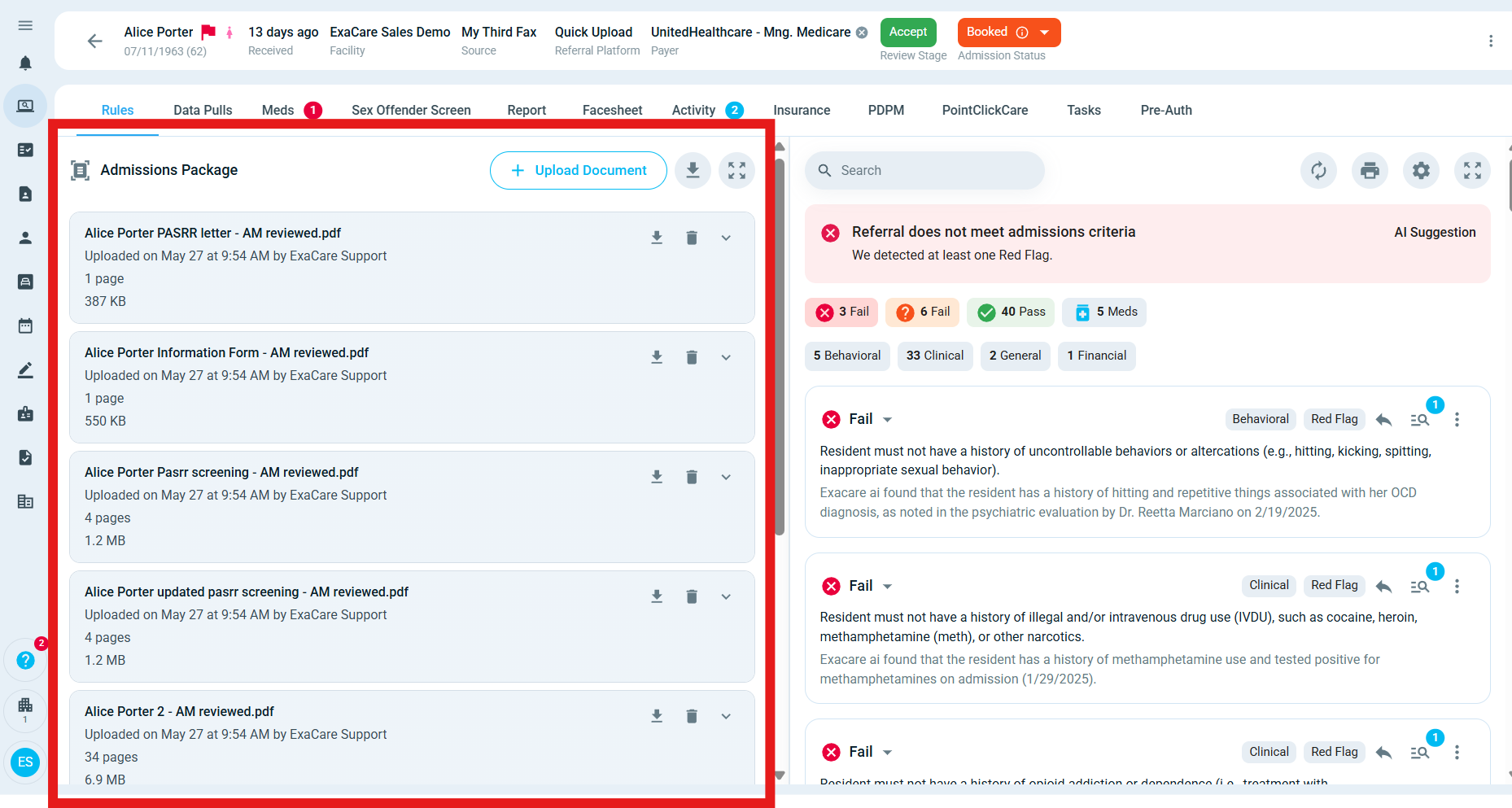
Check the referral documents
In the referral, review the Documents area and refresh the page if the document was added recently. Some documents may appear under a broader name, such as “Clinical Packet,” “Discharge Summary,” “Referral Attachment,” or “Updated Documents.”
If the referral has many documents, clear any filters and search by the resident name, document name, or document type. The document may be included inside a larger packet rather than listed as a separate file.
Allow time for processing
Documents do not always appear immediately. Source systems may send updates in batches, and large files or high-volume referral packets can take longer to process.
Processing may take longer when:
The document was just added in the source system
Several documents were sent at once
The file is unusually large
The referral source is sending updates in batches
The source system is experiencing delays
If the document was recently added or sent, wait a short period and check again.
Confirm the document exists in the source system
If you have access to the original referral source, check whether the document is attached there. Confirm that it belongs to the same referral instance you are viewing in exacare ai, and note when it was added.
Some referral sources only allow exacare ai to pull documents within a supported retrieval window. Documents added too far before the referral was sent, or after the referral was closed or placed, may not appear automatically in exacare ai.
Check the referral status
Referral status can affect whether new documents continue to sync. If a referral has been marked as placed, closed, or placed elsewhere, new documents added afterward may not continue to pull into exacare ai.
In that case, review the document in the source system or contact support so the team can confirm the best next step.
If the document came by fax
If your organization uses an exacare ai eFax line, check the eFax Inbox if available. Search by the expected date, sender, or facility. If the fax is visible there, open it to confirm whether it is connected to the correct referral.
[Insert screenshot of the eFax Inbox search/filter area]
If a fax shows an error state, ask the sender to resend it. If the fax is in the Inbox but not attached to the expected referral, contact support with the fax date, sender, facility, and referral name.
When to contact support
Contact exacare ai support if the document still does not appear after you have checked the referral, source system, referral status, and eFax Inbox.
To help support review the issue faster, include:
Referral or resident name
Facility name
Referral source
Expected document name or type
When the document was added, uploaded, or faxed
Screenshots from exacare ai and, if available, the source system or eFax Inbox
Expected result
After these checks, you should know whether the document is still processing, attached under another name, limited by the source workflow, affected by referral status, or missing unexpectedly and ready for support review.