Bed Board FAQ
Last updated: June 11, 2026
Q: What is the difference between a Booked and a Moved-In resident?
Booked: The resident has confirmed they will be staying at the facility but has a move-in date in the future.
Moved-In: The resident has physically arrived and is now at the facility, meaning you are able to assign a bed in the Bed Board to this resident.
Q: When should I change the status to Moved-In? What do I do if I accidentally move a resident in but they don’t show up?
The Moved-In status should be assigned when the resident has physically arrived and is now at the facility.
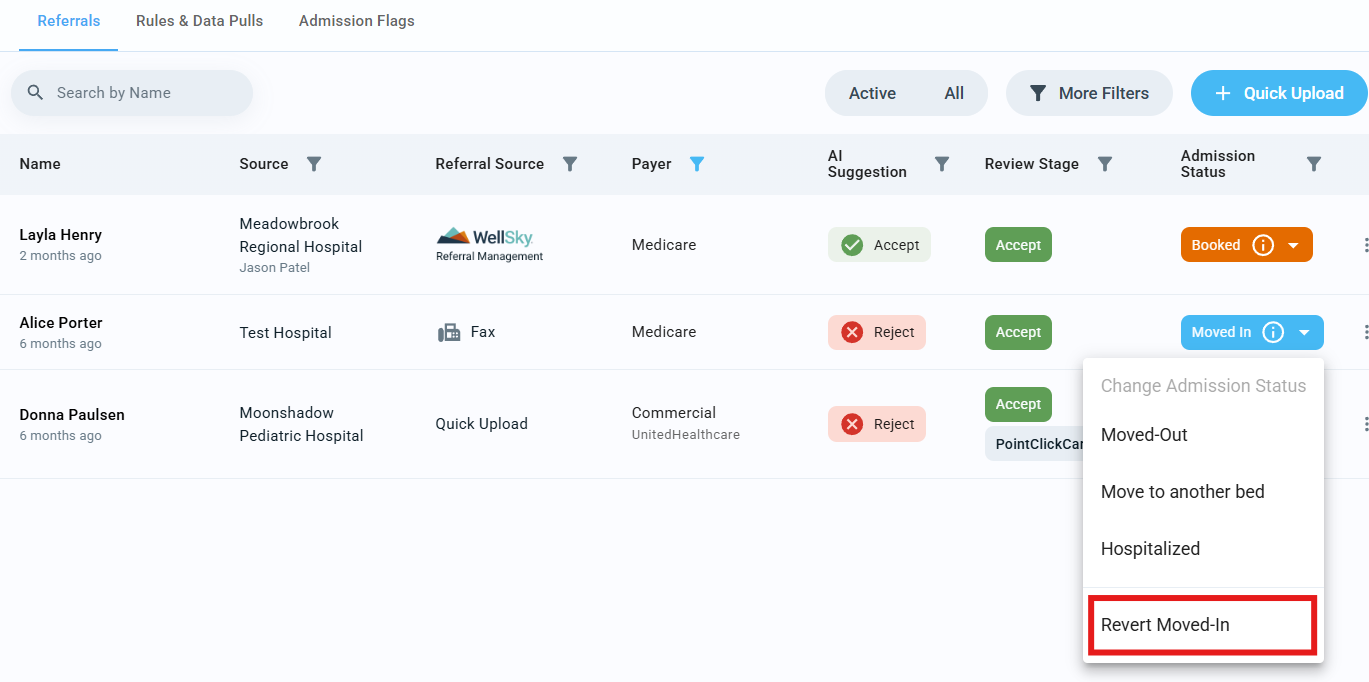
If you accidentally move a resident in too early, you can use the Revert Move-In option. This will revert the Admission Status of the resident back to the previous state.
Q: Where can I find residents who are scheduled to move-in?
You can view a full list of all residents scheduled to move-in by navigating to the Residents tab and selecting Target Move-Ins.
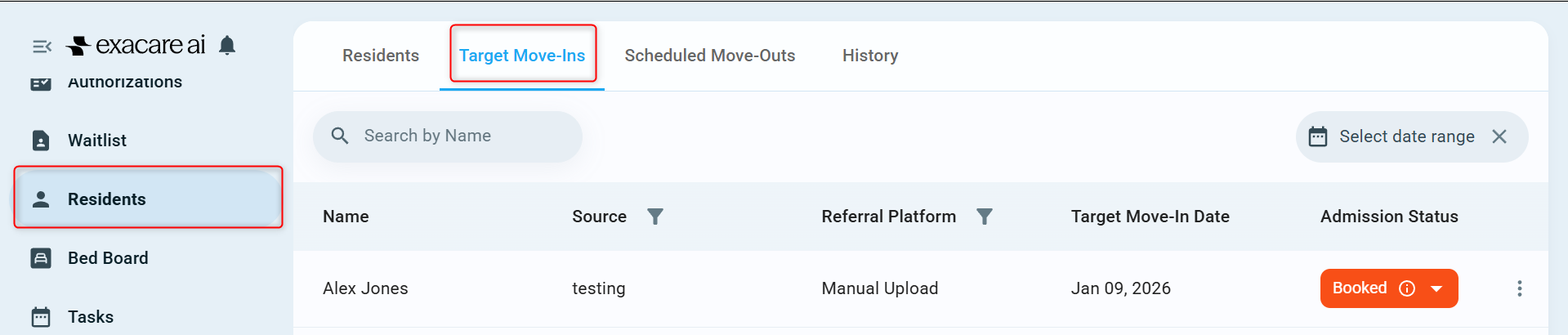
From there, you can move them directly onto the Bed Board, and they will automatically transition from the Target Move-Ins tab to the Residents tab.
Q: How do I change the scheduled move-out date of an existing resident?
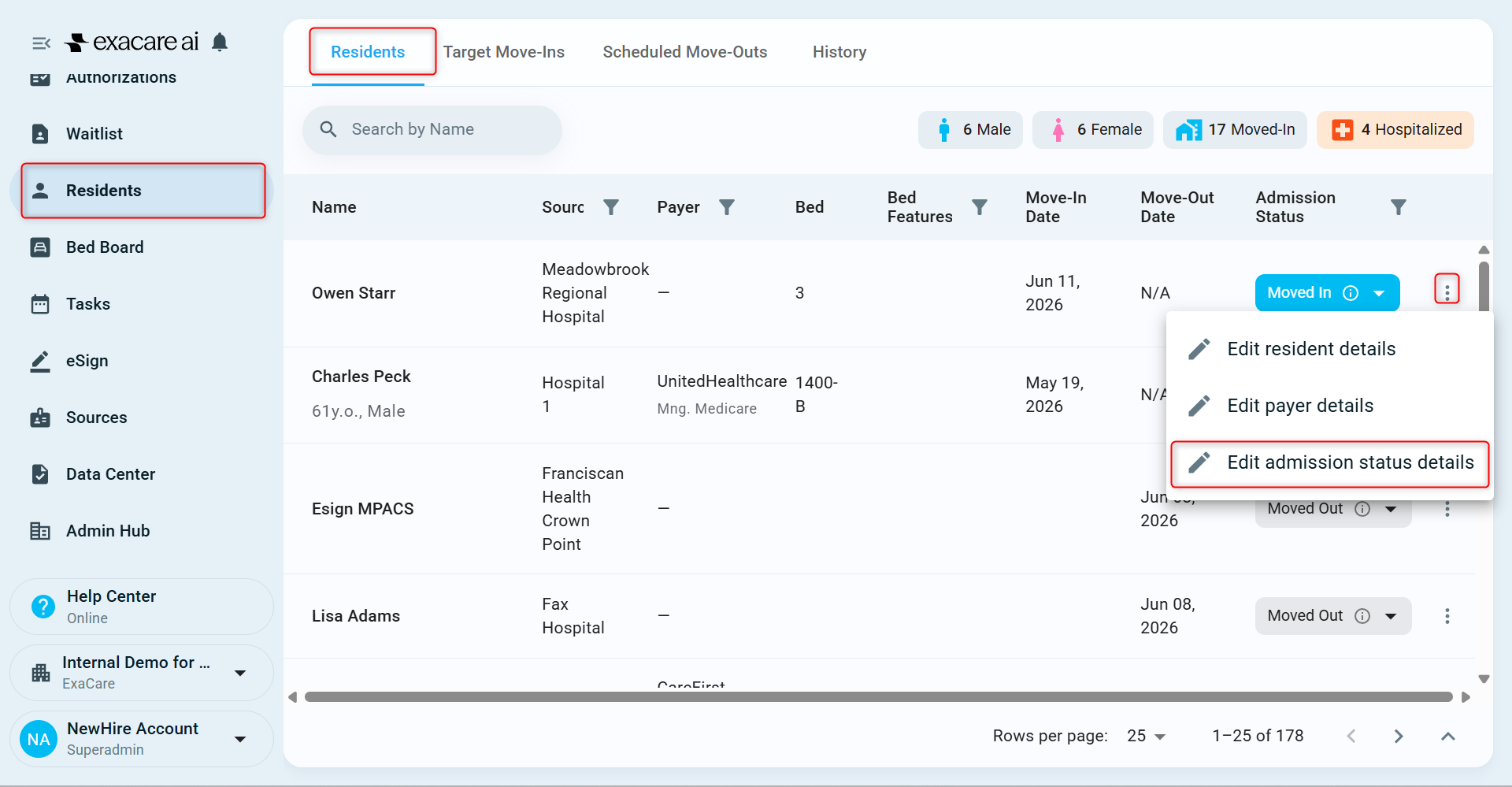
You can do this by going to the Residents tab, clicking on the three dots next to the resident’s name, and select Edit admission status details:
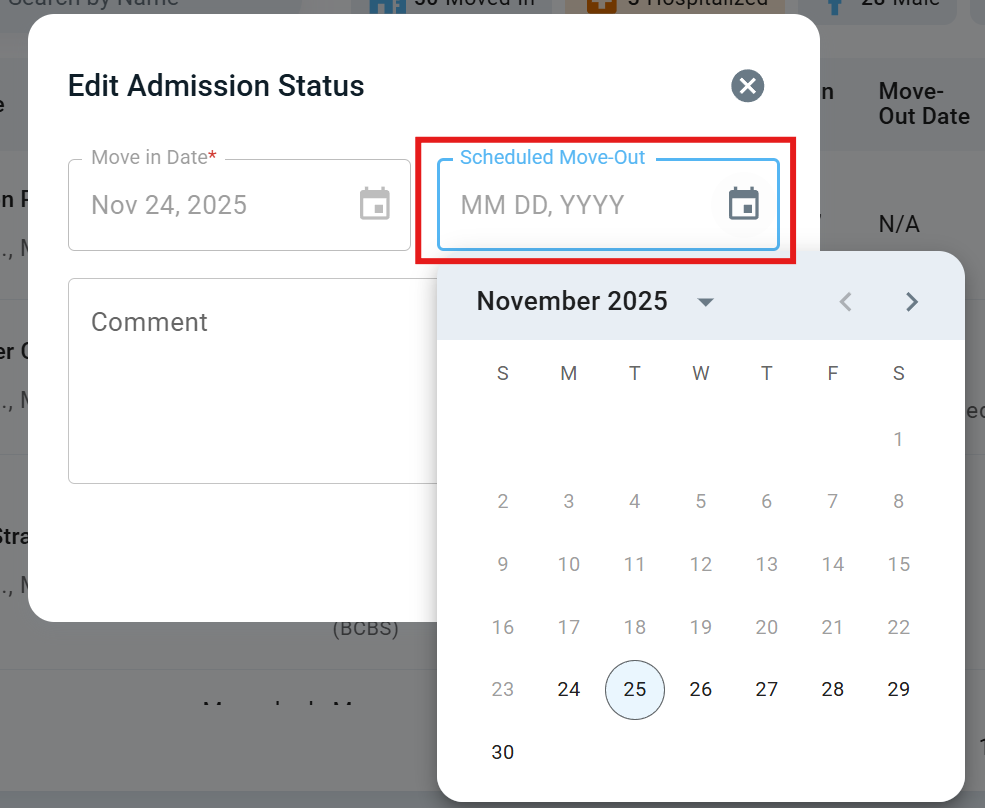
From there, you can select a new Scheduled Move-Out date:
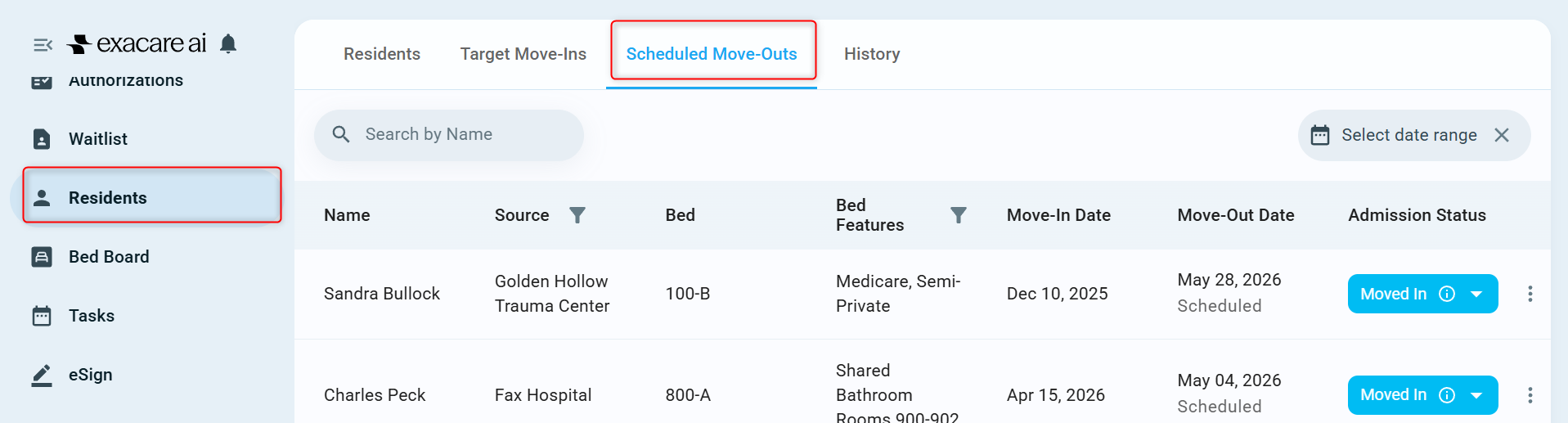
The resident will now appear under Scheduled Move-Outs in the Residents tab:
Q: Can I print the Bed Board?
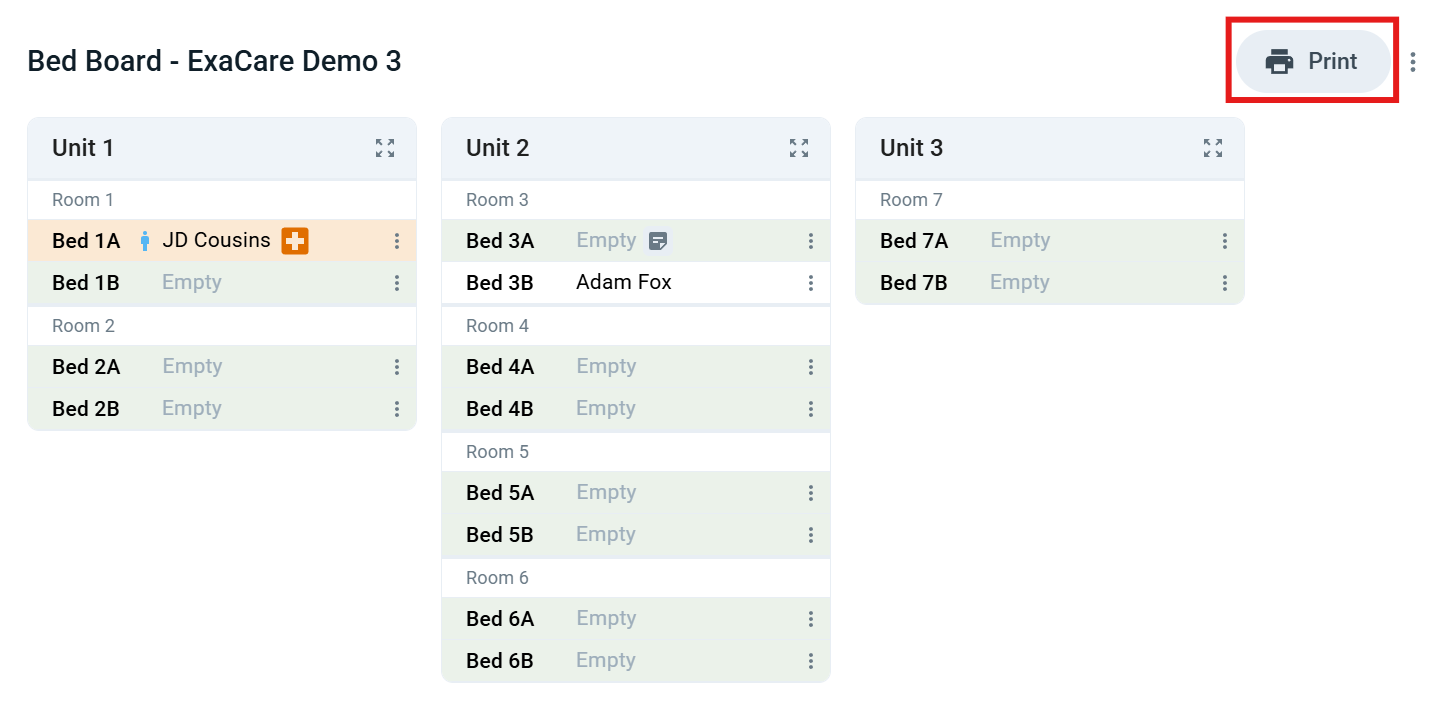
You can print the Bed Board by selecting Print in the top right corner:
Q: How can I optimize my Bed Board view?
To optimize your Bed Board view, select the expand icon at the top of a unit:
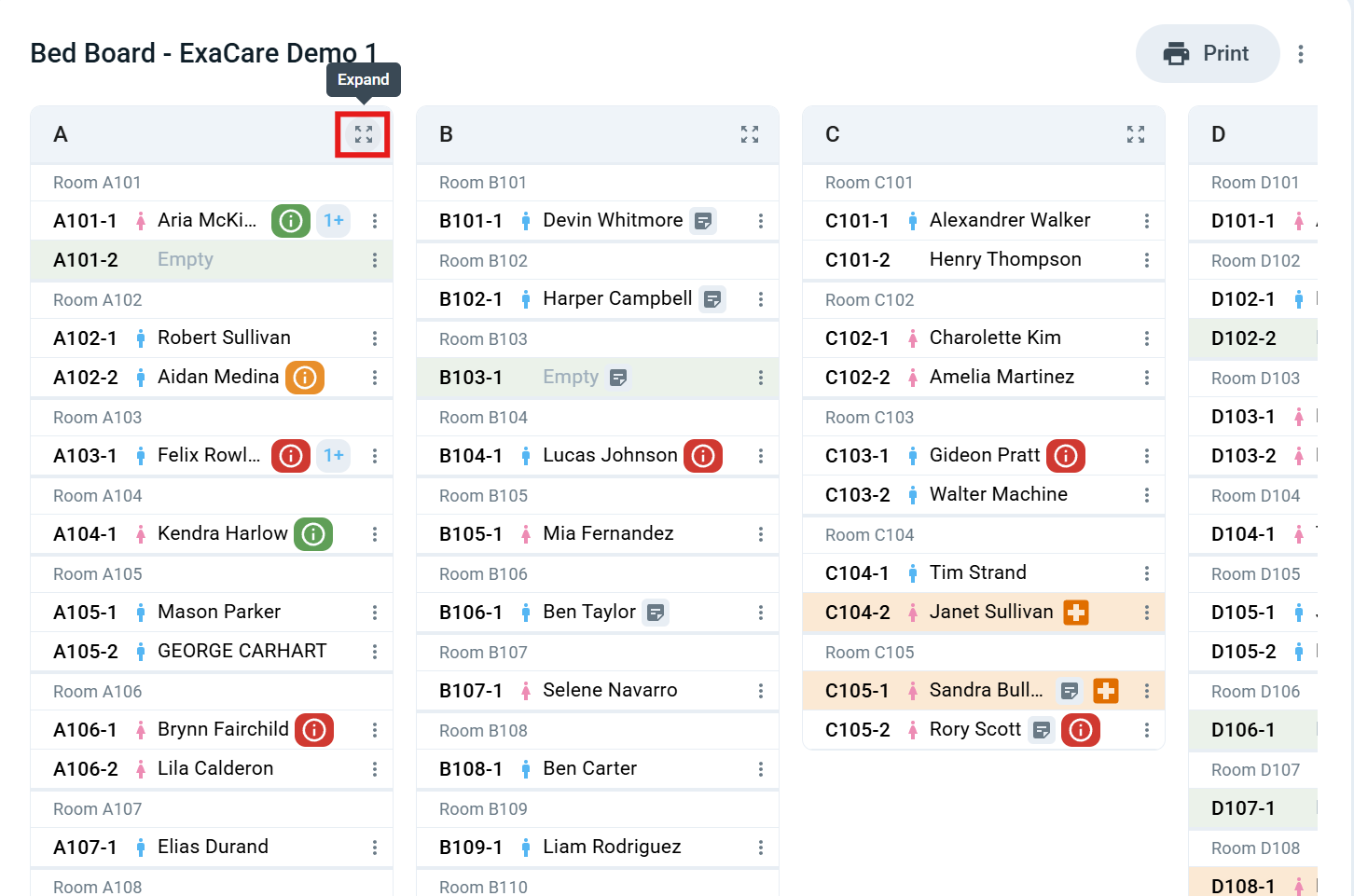
This will let you view all patients in a unit without needing to scroll:
Q: When does a Bed Hold end?
The bed hold will end at 11:59 PM on the selected date.