Why Can't I See a Facility or Referral?
Last updated: June 11, 2026
If a facility or referral is missing from your view in exacare ai, it is usually related to your facility access, filters, referral status, or the source system that sent the referral. This guide walks through what to check first and when to contact your administrator or exacare ai Support.
When to use this article
Use this article if:
You cannot see a facility you expected to access.
A referral is missing from your Screener.
A referral appears greyed out and cannot be opened.
You can see a referral in search, but not in your current filtered view.
You need permission to open, accept, decline, or take action on a referral.
Important notes
Exacare ai only shows referrals for facilities you are allowed to access by default. This helps protect patient information across organizations with multiple facilities.
Your organization may also have a setting called Show referrals beyond access. If this setting is turned on, you may see referrals from other facilities as grey rows, but you will not be able to open or action them unless you have access to that facility.
Only your organization’s Superadmin or Admin can update your facility access or user permissions.
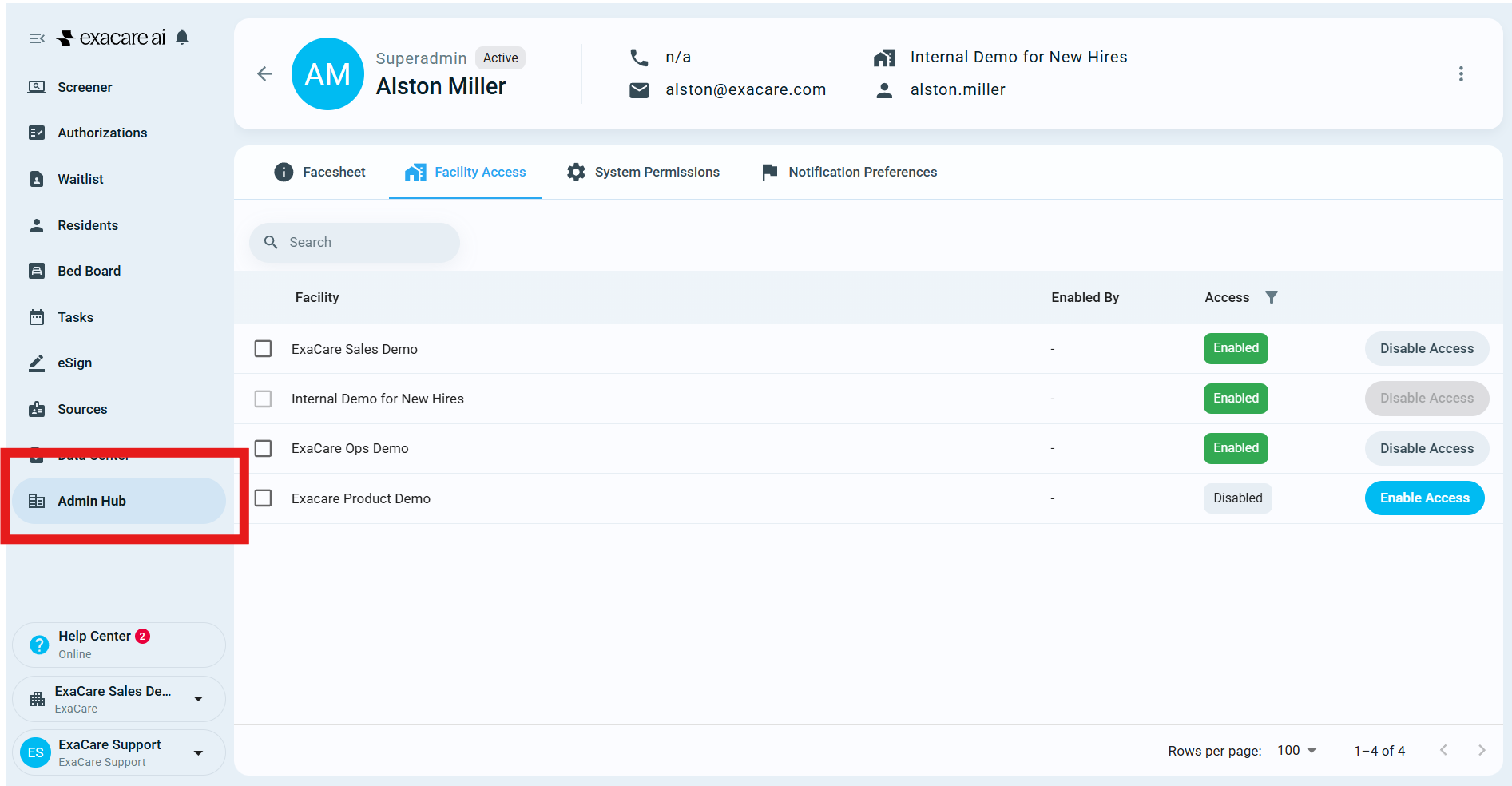
Check your facility access
If you cannot see a facility, or you cannot see referrals for a facility, your account may not have access to that facility.
Go to Admin Hub.
Open Staff Overview.
Find your user profile, or ask a Superadmin/Admin to review it.
Confirm that the correct facilities are assigned to your account.
If access is missing, ask a Superadmin/Admin to update your facility access.
After your facility access is updated, refresh exacare ai and return to the Screener.
Check your filters and search
If you have access to the facility but still cannot find the referral, your current filters may be hiding it.
Go to the Screener.
Check the selected facility or building view.
If available, choose All Facilities or the specific facility you expect.
Review active filters, such as review stage, status, payer, referral source, or date.
Clear filters and search by the patient or referral name.
If the referral appears after searching, it may not match the filters you were using.
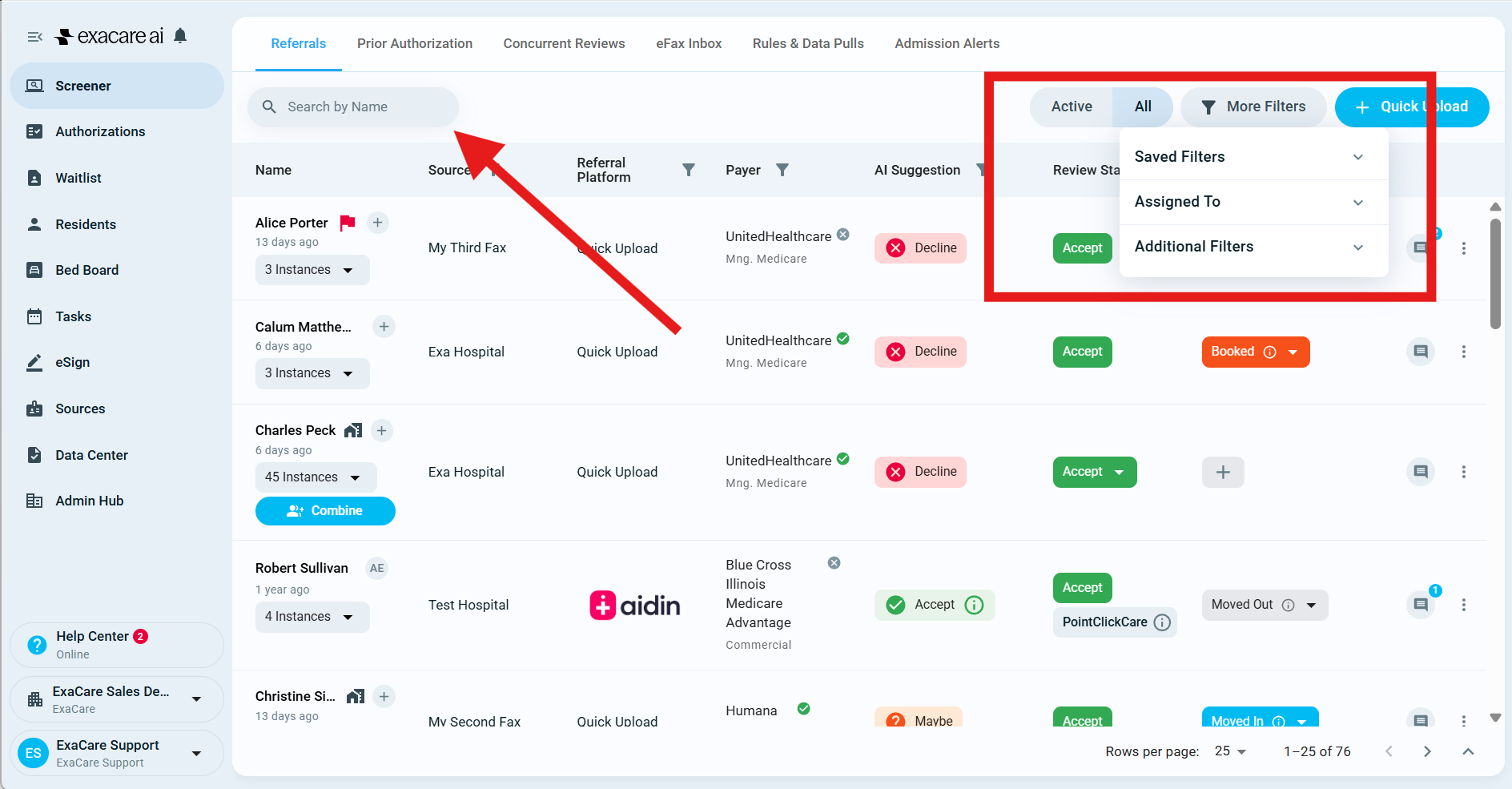
For example, a referral may not appear under New if it has already been completed, answered, cancelled, or moved to another stage.
Why a referral may appear greyed out
A grey referral row usually means the referral is visible, but not fully available to you.
This can happen when:
The referral belongs to a facility you do not have access to.
Your organization has Show referrals beyond access turned on.
You are viewing referrals across multiple facilities.
Grey referrals from facilities you cannot access cannot be opened or actioned. You will not be able to view referral details, documents, hospital chat, or activity history for that referral unless your facility access is updated.
If you need to work that referral, contact your Superadmin/Admin and ask them to review your facility access.
Check your user permissions
Seeing a referral and being able to take action on it are separate permissions.
If you can see a referral but cannot accept, decline, or complete an action, your role may not include that permission.
To request additional permissions:
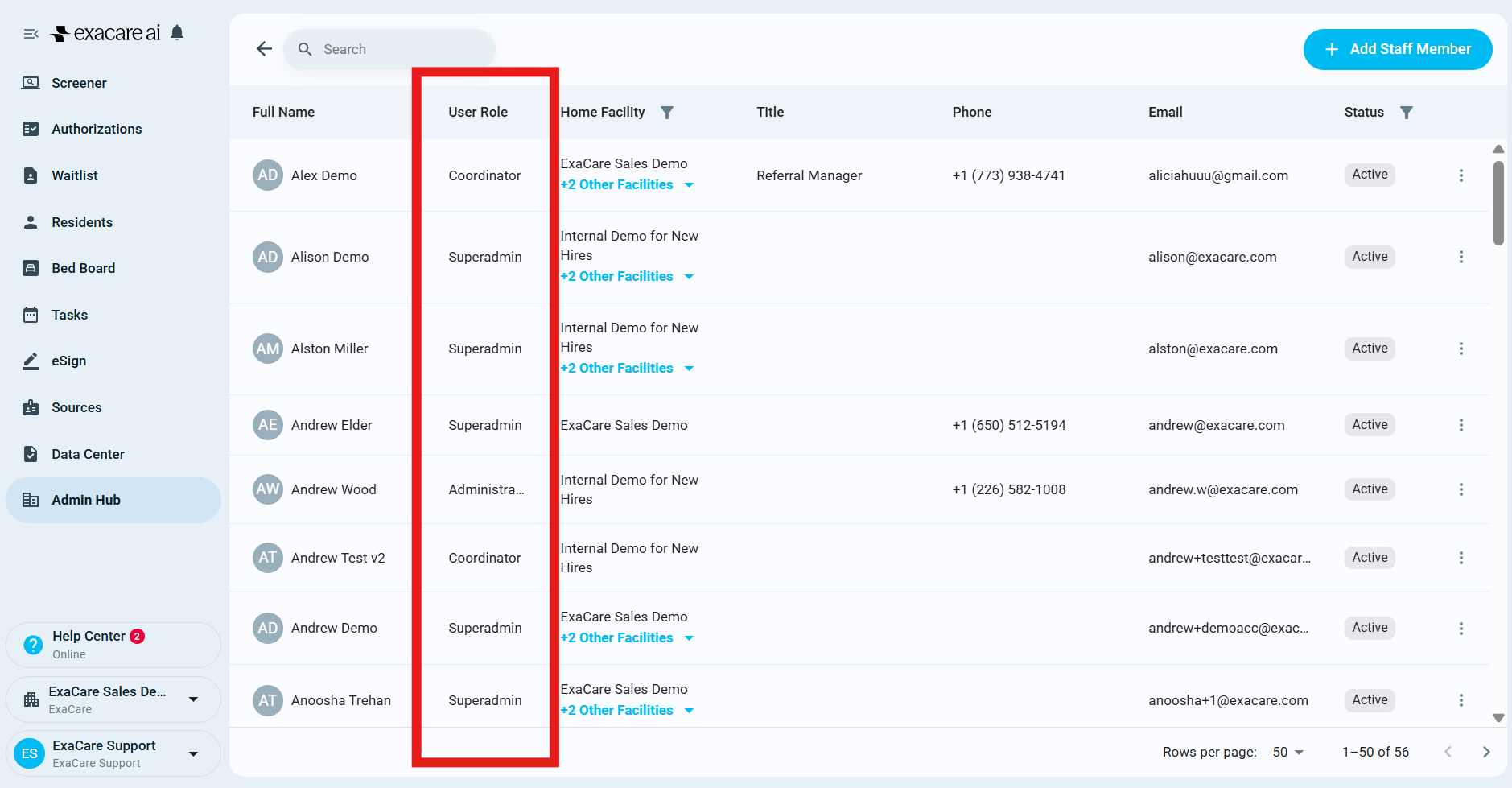
Go to Admin Hub.
Open Staff Overview.
Identify your organization’s Superadmin or Admin.
Ask them to update your system permissions or role.
Exacare ai Support can help explain where to look, but permission changes should be approved and managed by your organization.
Check whether the referral source is connected
If a referral is missing entirely, it may not have reached exacare ai yet.
This can happen if:
The referral was sent to a different facility.
The referral came from a different source platform than expected.
The referral source integration is disabled, being updated, or has recently changed.
Documents or referral details are still being processed.
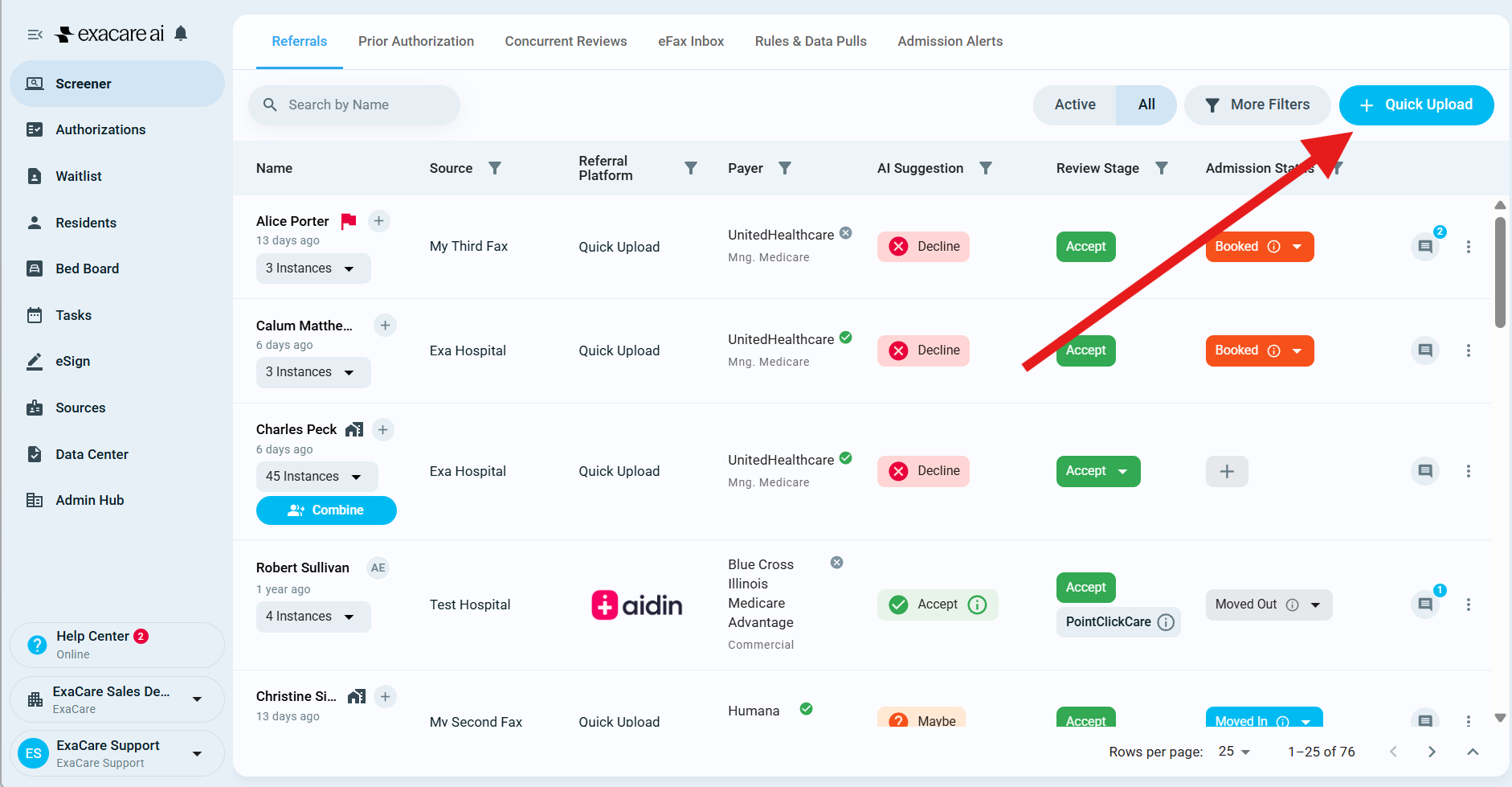
If your team needs to keep working while the referral is reviewed, you can use Quick Upload to add the referral or missing documents manually.
What to send Support if the referral is still missing
If you still cannot find the referral after checking access, filters, and search, contact exacare ai Support with:
Patient or referral name
Facility or facilities where the referral should appear
Referral source or platform, if known
Approximate date and time the referral was sent
Screenshot of your current Screener view, including filters
Whether you can find the referral by searching the patient's name
Please avoid sending unnecessary patient details beyond what Support needs to locate the referral.
Expected result
After the right access, filters, and referral source are confirmed:
You should see the facilities assigned to your account.
You should see referrals for the facilities you have access to.
You should be able to open and action referrals allowed by your role.
Greyed-out referrals will remain view-only or unavailable unless your facility access changes.