5. Review Authorization Statuses
Last updated: June 11, 2026
This guide explains how to track and review the status of submitted prior authorizations in exacare.
Step 1: Navigate to Prior Authorizations
a. Go to the Prior Authorizations tab from the screener.
These are sorted by last updated status, not by when the referral was received in exacare.
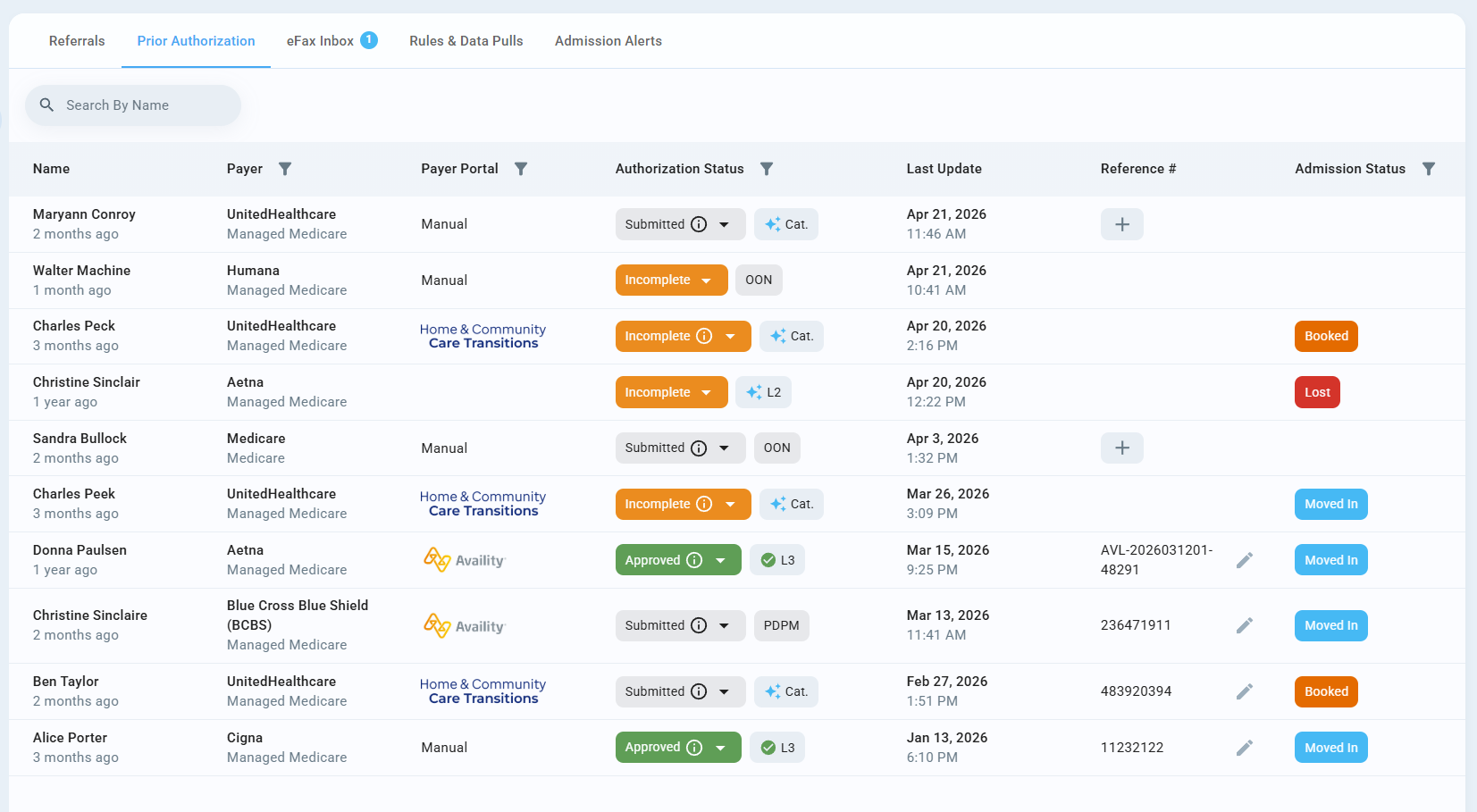
Step 2: Understand the Authorization Table
Within the table, you can view:
Patient and referral details
Associated facility (if in all facility view)
Payer information
Current authorization status and submission details
Date of Last Update
Reference Numbers
Step 3: Filter Authorizations
Use filters to quickly find and view specific authorizations by:
Facility
Payer
Authorization Status
Date range
Step 4: Review Authorization Status Updates
a. Automatic submissions sync authorization statuses directly from payer portals. While syncing is in progress, an icon will appear in the Last Update column to indicate that statuses are being updated automatically. The sync continues until a final status—such as Approved—is reached.
Statuses include: Submitted, Approved, Denied, Peer-to-Peer or Partial Approval

b. For manual submissions, users must update the authorization status manually.
Statuses include: Pending, Partial Approval, Peer to Peer, Approved, Denied, Cancelled
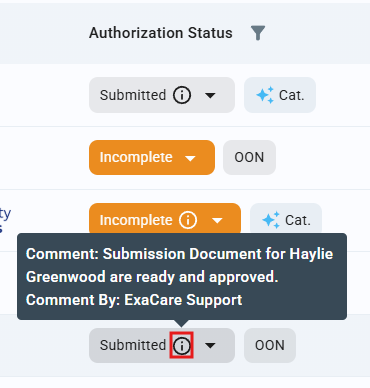
Hover over the tool tip to see more information!
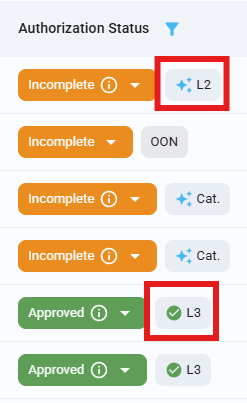
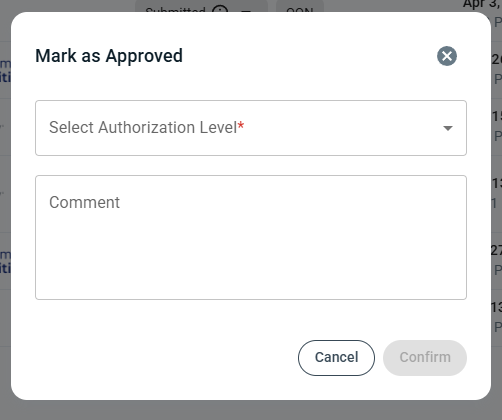
c. Verify the level at which the authorization was submitted and approved.
With any change of Authorization Status, you can add a comment. This information will be collected over time and can be analyzed in the data center.
Other Features: Hospital-Initiated Authorizations
To review a hospital-initiated authorization:
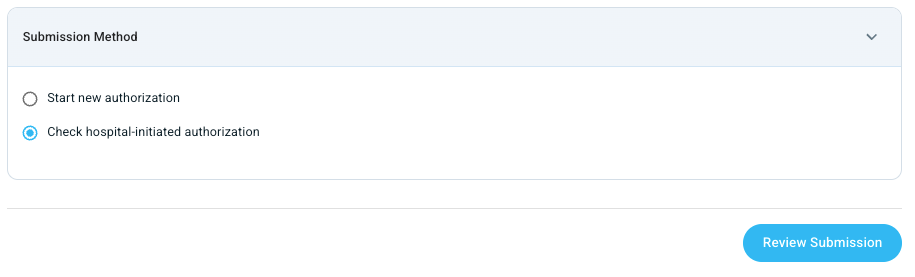
a. Navigate to the referral where the hospital has already submitted the prior authorization.
b. Select Check hospital-initiated authorization.
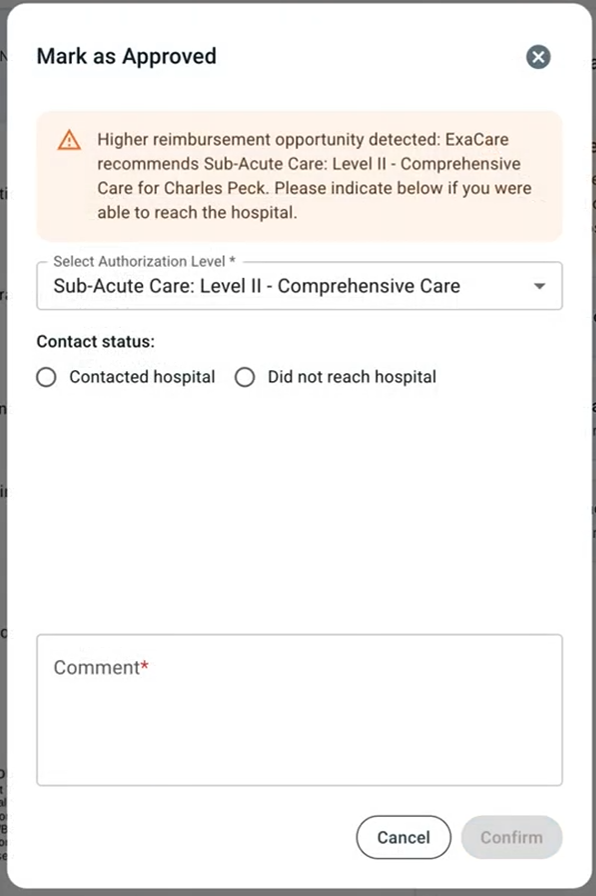
c. Review exacare's recommendation. If exacare recommends a higher level of care, you can leave a comment to indicate that a follow-up with the hospital is needed to advocate for the higher level.
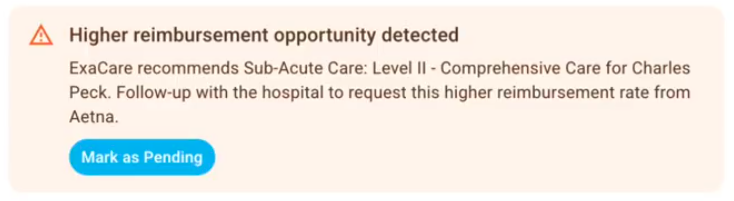
After the follow-up, update the Authorization Status in exacare. You'll be prompted to capture relevant details and any comments.