PDPM
Last updated: July 26, 2026
Please refer to the training video below for a tutorial of the PDPM feature:
What does the PDPM feature do?
Exacare ai's PDPM Reimbursement Estimator analyzes each referral's clinical documentation to give you an early estimate of a patient's daily Medicare reimbursement rate. Because the estimate is based on pre-admission referral documents, it's directional guidance to inform admission decisions, not a replacement for your post-admission MDS assessment!
How to run the PDPM Analysis
Click the Screener tool in your navigation bar to view all of your referrals.
Select the patient referral you want to review.
Select the PDPM tab.
Click the Run PDPM Estimator button.
Review the estimated daily reimbursement rate at the top of the screen. You'll see two rates: the days 1–3 rate and the days 4–20 rate, since reimbursement changes after the first three days of a stay. You can also view the HIPPS code and primary diagnosis in the summary, and open a full component breakdown below.
How to re-run the PDPM Analysis
If your source sends over new documents (like an updated discharge summary), exacare will prompt you to re-run the analysis.
Exacare will prompt you to refresh the analysis when new documents have been added.
Click the Run PDPM Analysis button.
Your daily estimate has now been updated
Exacare breaks the score down into five clinical categories:
PT (Physical Therapy)
OT (Occupational Therapy)
SLP (Speech-Language Pathology)
NTA (Non-Therapy Ancillary)
Nursing
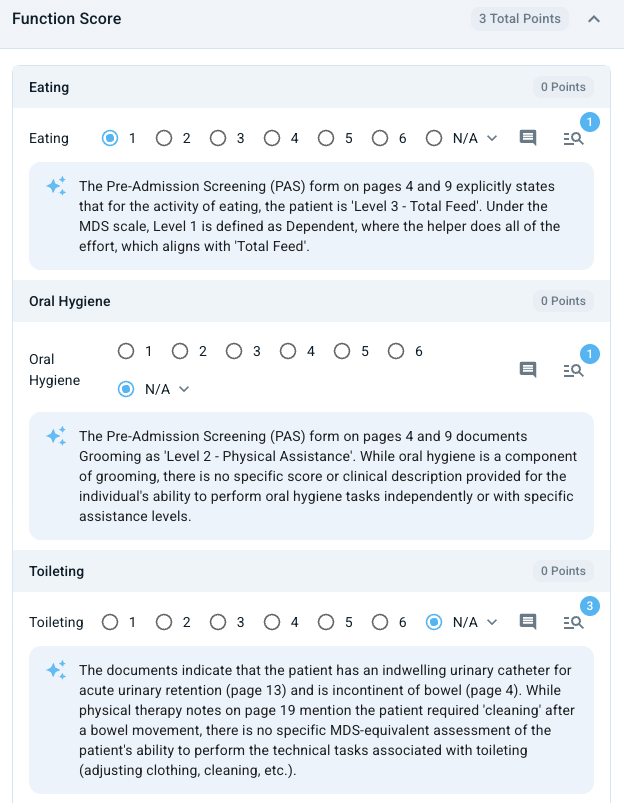
Tip: Click the visual reference icon to see relevant details in the referral packet related to that score. Read the grey text below each score to understand the AI's reasoning for the score assigned.
Reviewing and Modifying the Score
Click View & Edit Details to open the full breakdown. The details page is organized into collapsible trays — one section opens at a time — covering diagnosis information, functional scoring, the cognitive level calculator, and NTA extras.
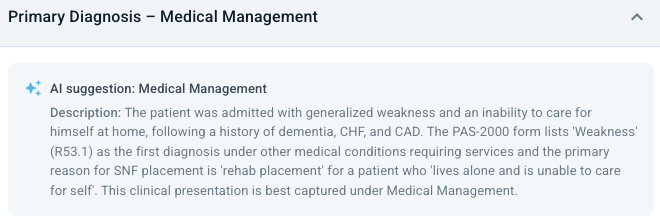
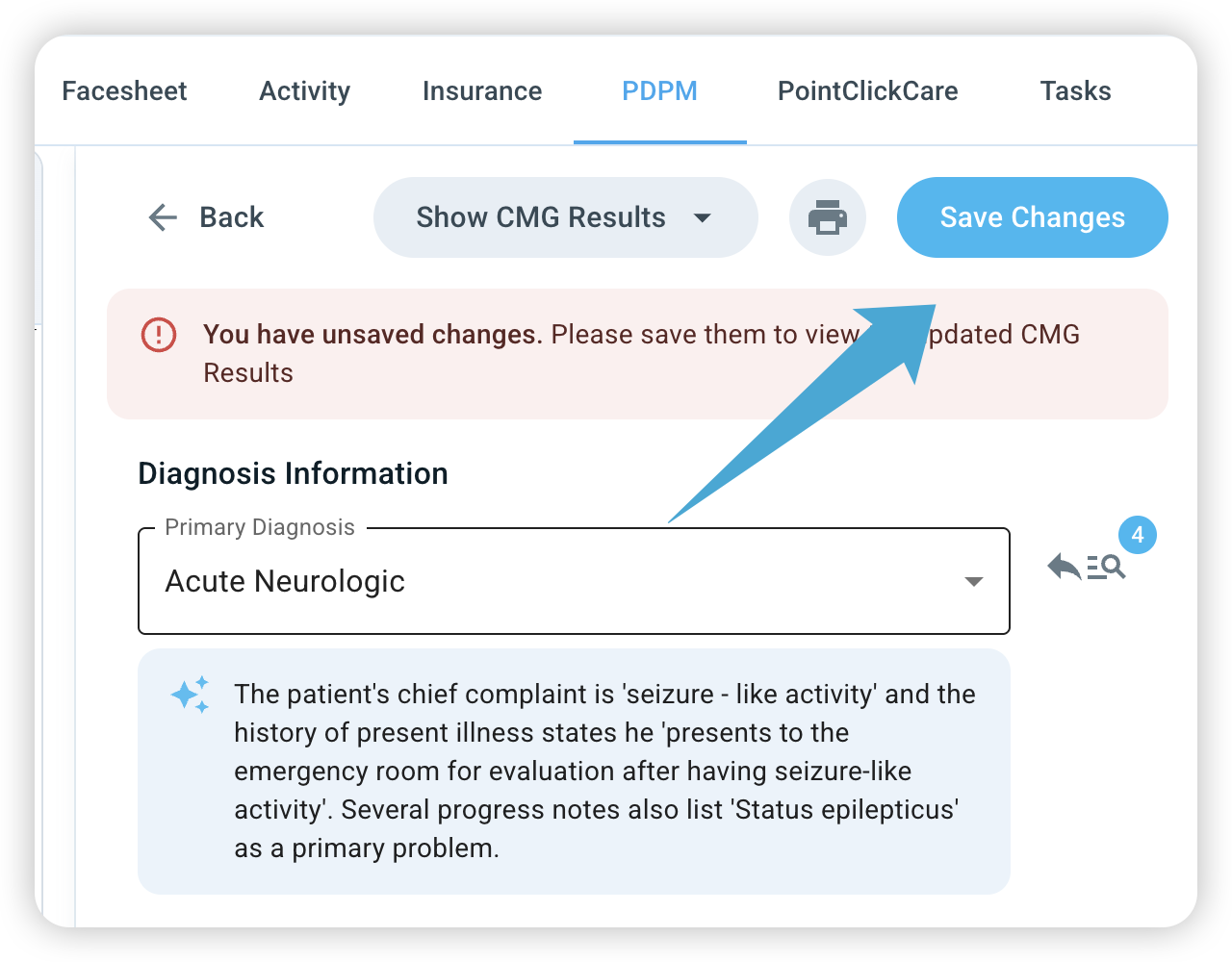
Primary diagnosis: The estimator suggests a primary diagnosis and, where applicable, up to two alternatives with reasoning. You can select an alternative directly to see how it changes the estimate.
Functional scoring: Scores use the standard GG 1–6 scale (the same scale used on the MDS), with point values shown for reference and a subtotal for each section.
Cognitive level calculator: Includes a BIMS check that feeds into the SLP and Nursing components.

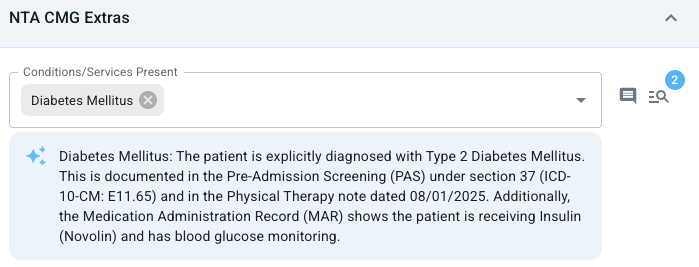
NTA extras: Each extra is marked Found, Maybe, or Not Found, with points totaled in the summary chips. Not Found items are hidden by default to reduce clutter.
If your expert clinical opinion differs from the AI’s assessment, you can easily adjust the data:
Click View and Edit Components.
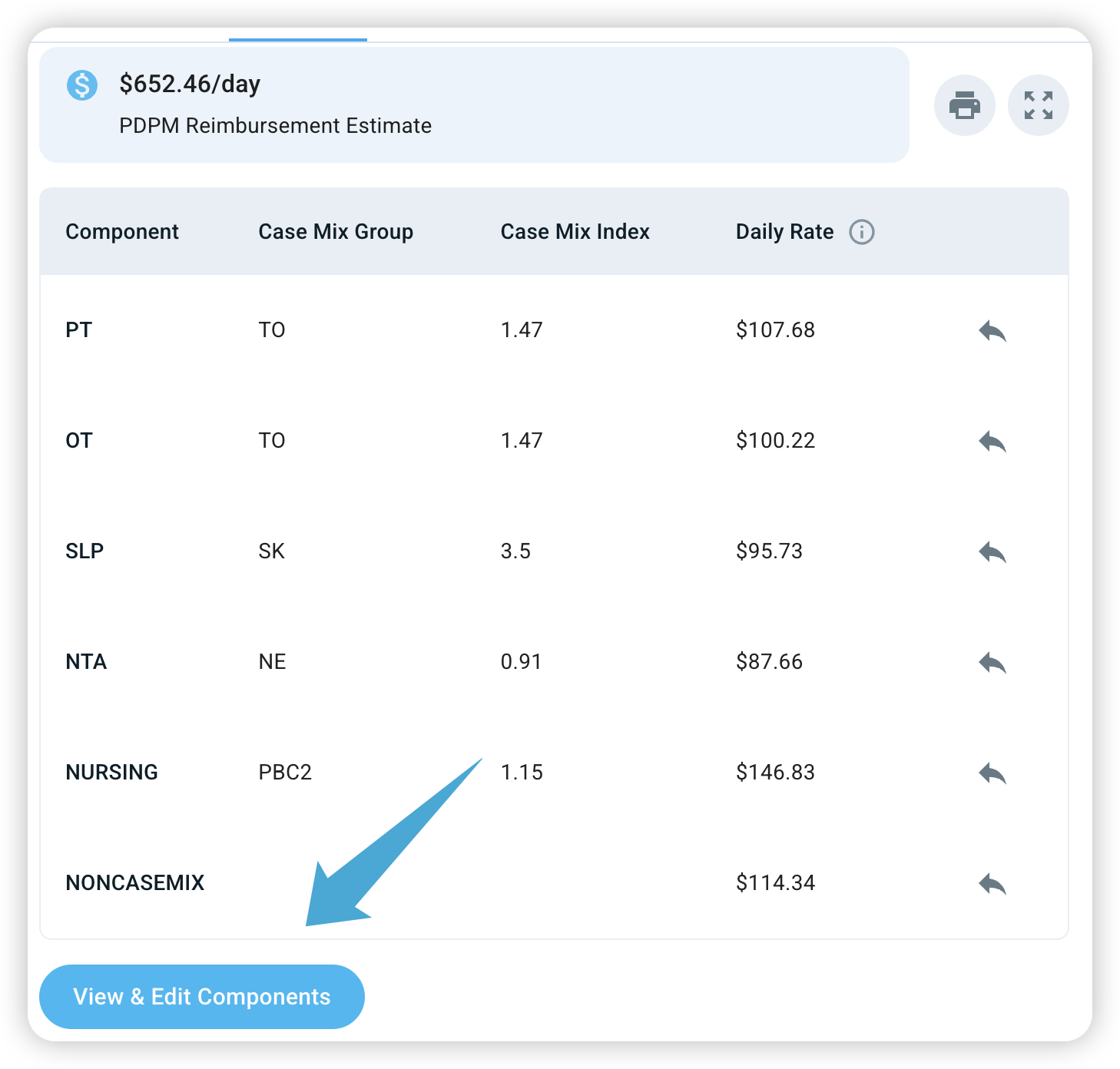
Select the category you wish to change (e.g., if you know a patient has a higher nursing need not fully captured).
Adjust the Score and click Save Changes.
The analysis will re-run and your daily reimbursement rate will be updated.
Important Note: The daily PDPM reimbursement tool provides an estimate. It is not a guarantee of final reimbursement.
Downloading the report
You can export a PDF summary of the estimate to share with your MDS team or keep in the resident's file. The report includes the patient's name, HIPPS code, both reimbursement rates, and the primary diagnosis.