User Roles
Last updated: August 23, 2026
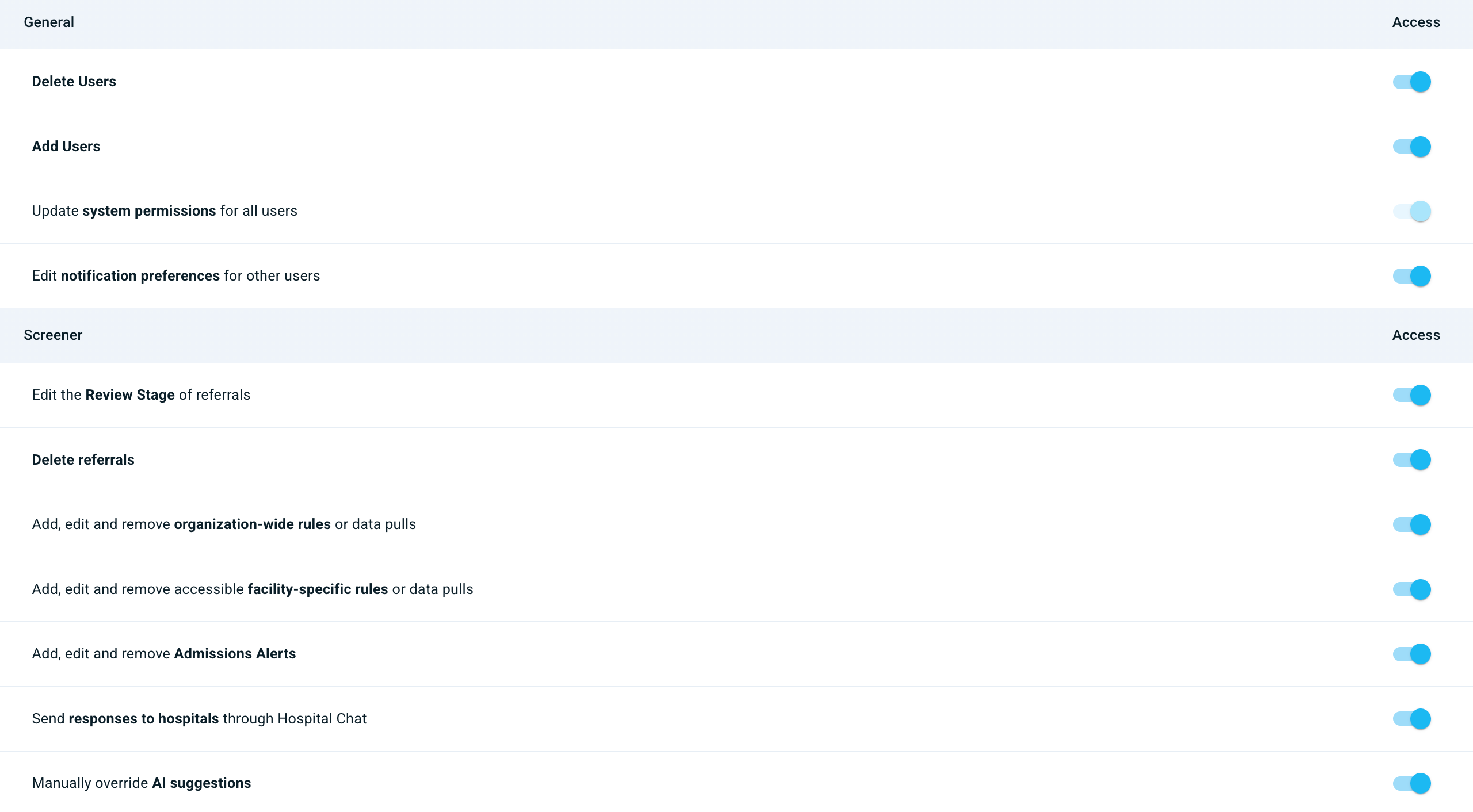
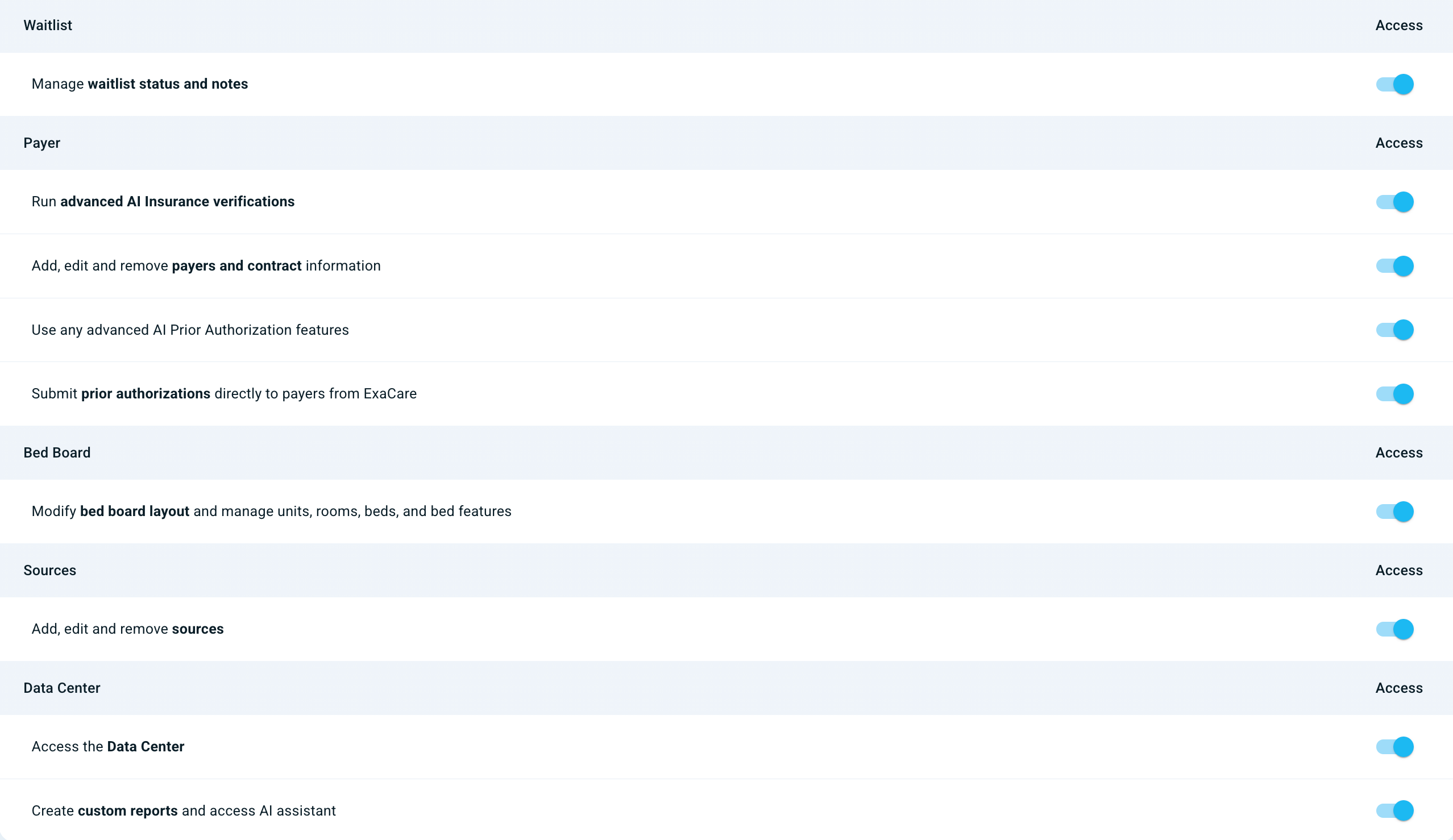
A user’s role only defines their initial permissions—every permission can be customized after the user is created (see this article to learn how to check or change system permissions).
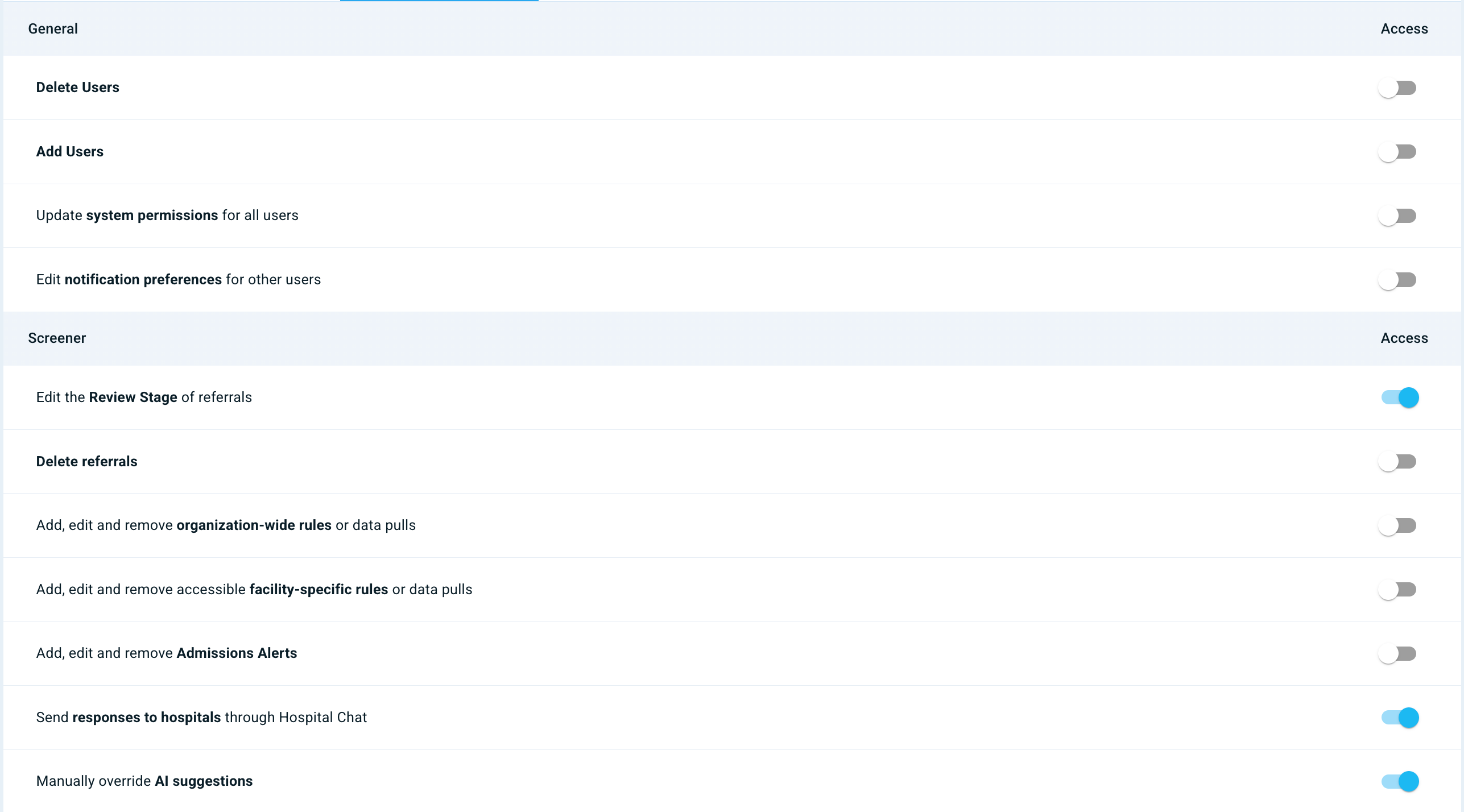
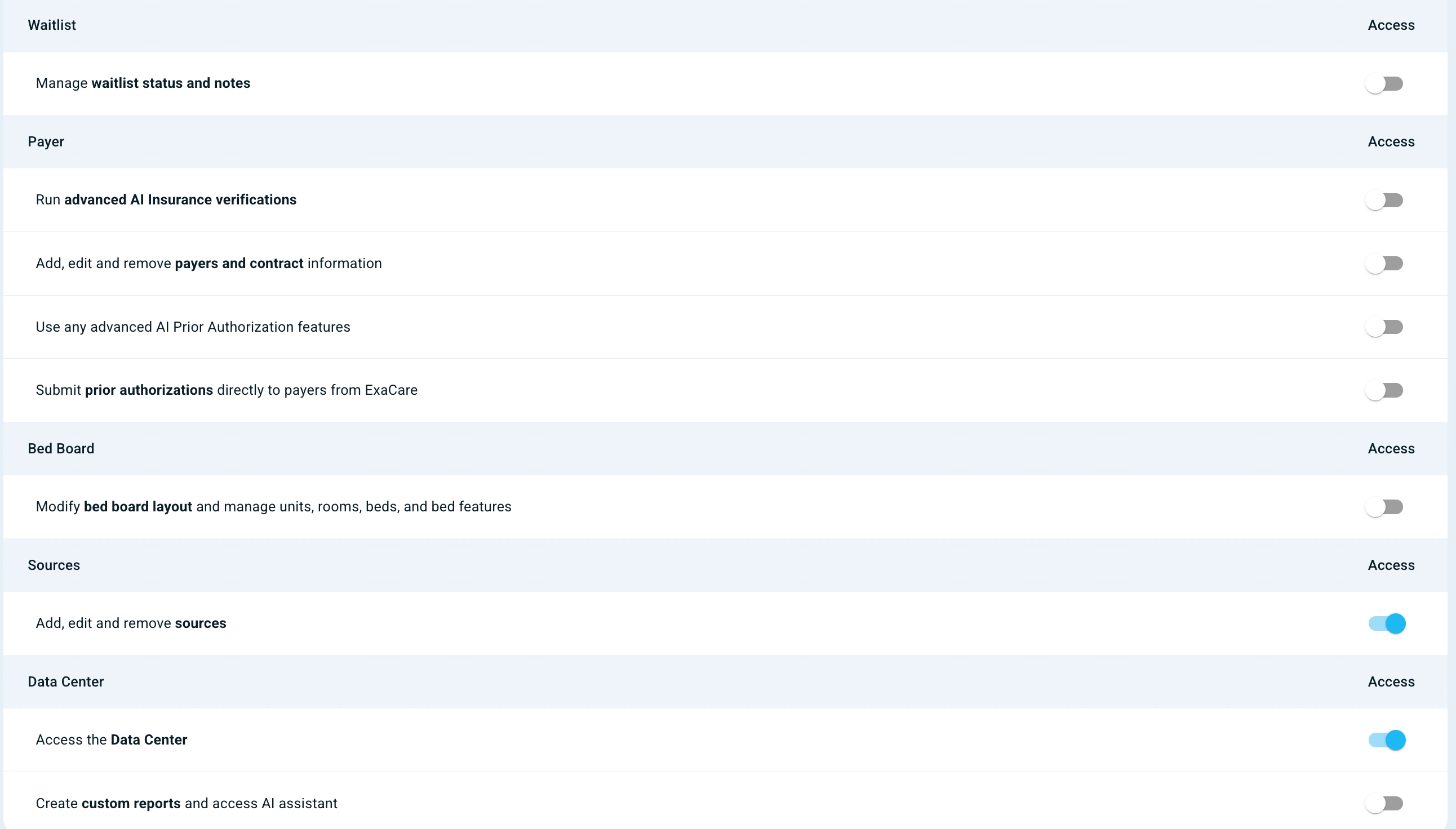
Coordinator
The user has basic app functionality but does not have access to manage facility-level or organization-wide settings. These basic permissions only apply to the specific facilities the user is granted access to.
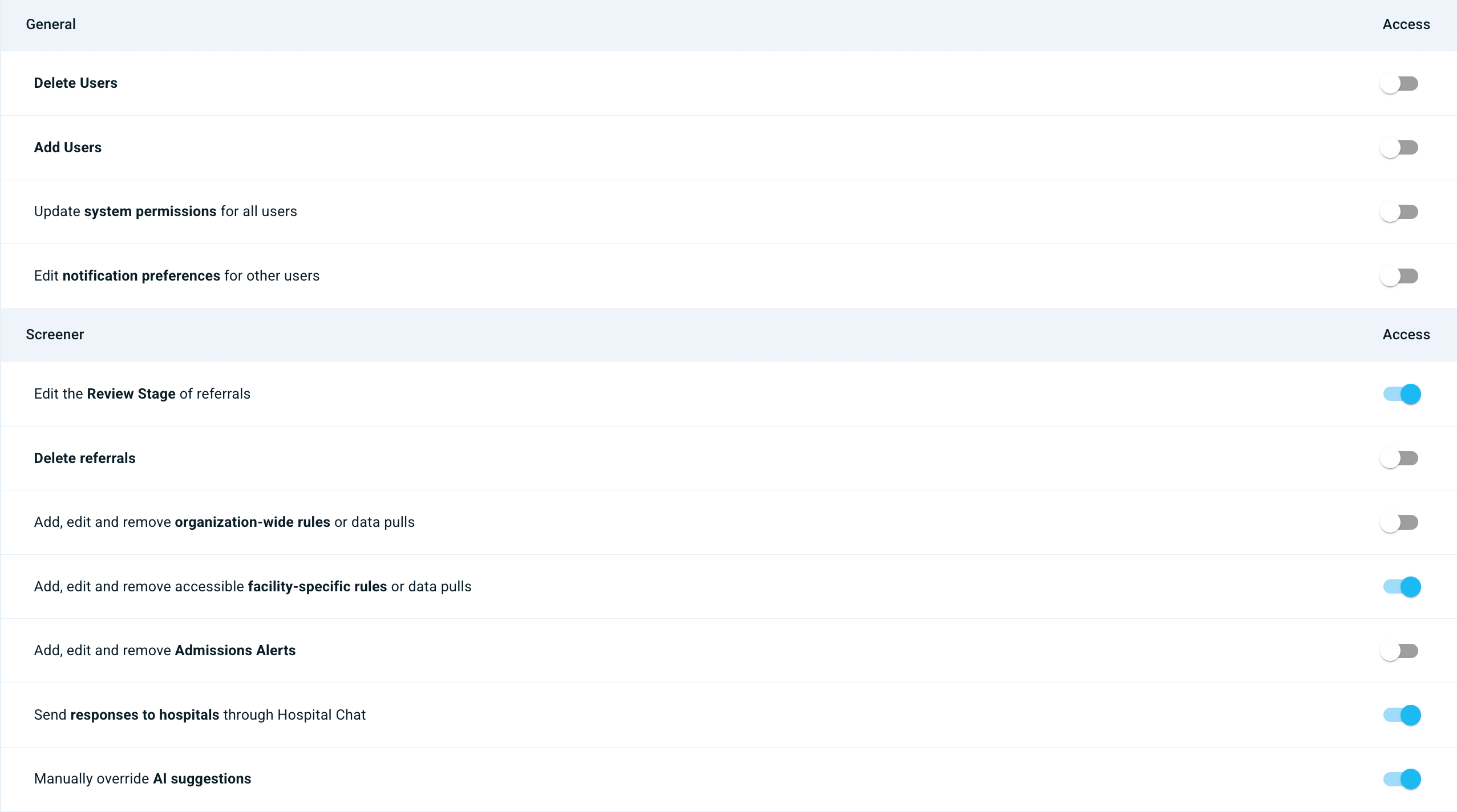
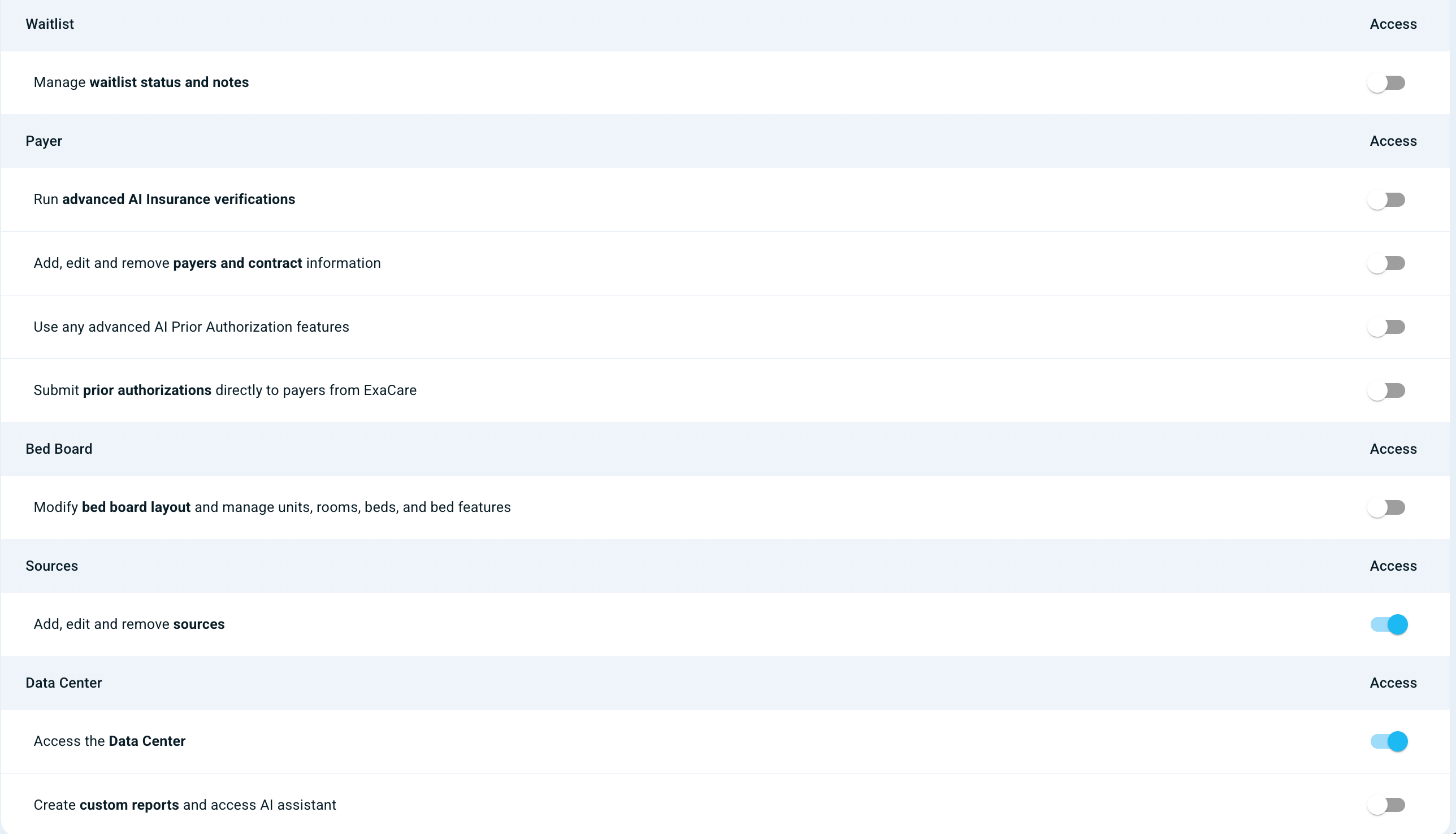
Administrator
In addition to basic app functionality, the user has access to manage facility-level settings. They have the highest level of permissions for the specific facilities they are granted access to.
Superadmin
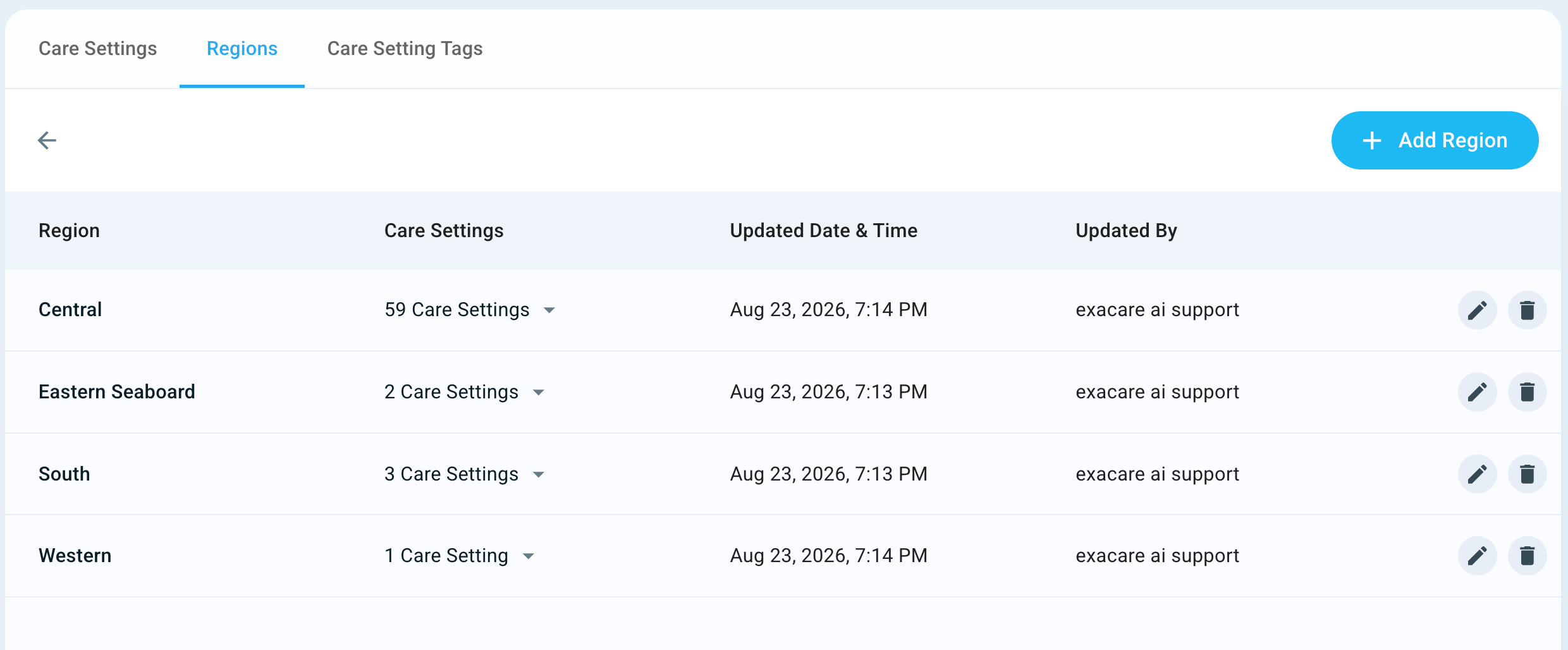
In addition to basic app functionality, the user has access to manage both facility-level and organization-wide settings, including the ability to add Regions and Care Setting Tags. They have the highest level of permissions across all facilities.
How do I change a user’s system permissions?
Only a Super Administrator can edit System Permissions. To do so, please go into their individual user profiles. Select System Permissions, and adjust the permissions you'd like that user to have.